Skip to content
IQ Chat · Governed enterprise AI workspace

Broaden AI adoption without multiplying AI workspaces

Give teams one place to use leading AI models, bring in relevant company context, and create editable deliverables — while IT manages identity, connector access, audit, routing, usage, and cost visibility through one administrative layer.

Adoption principle

Choice without sprawl. One workspace for model access, company context, and finished work.

Product workspace

One place for models, connected context, finished work, and controls

Representative product view
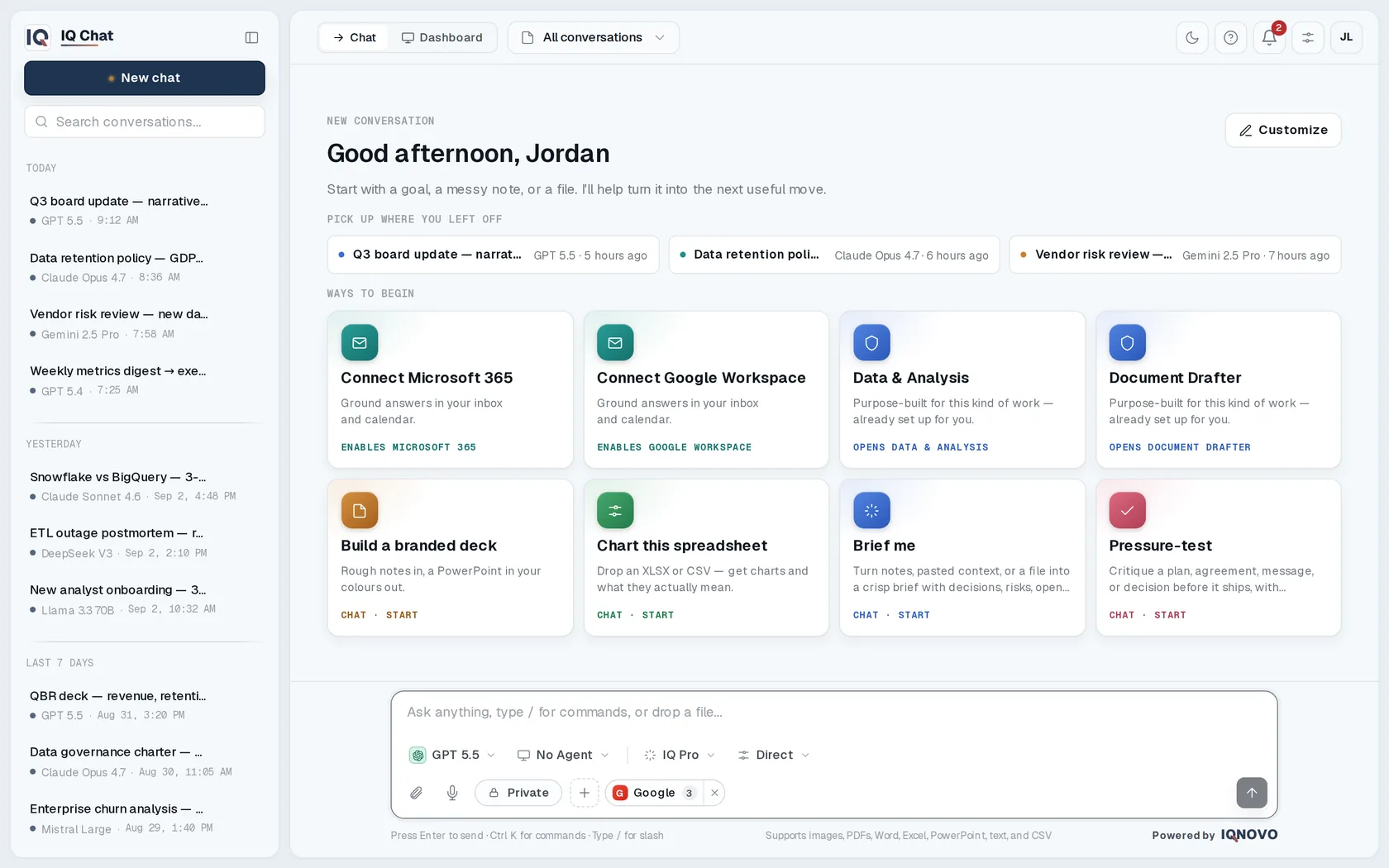
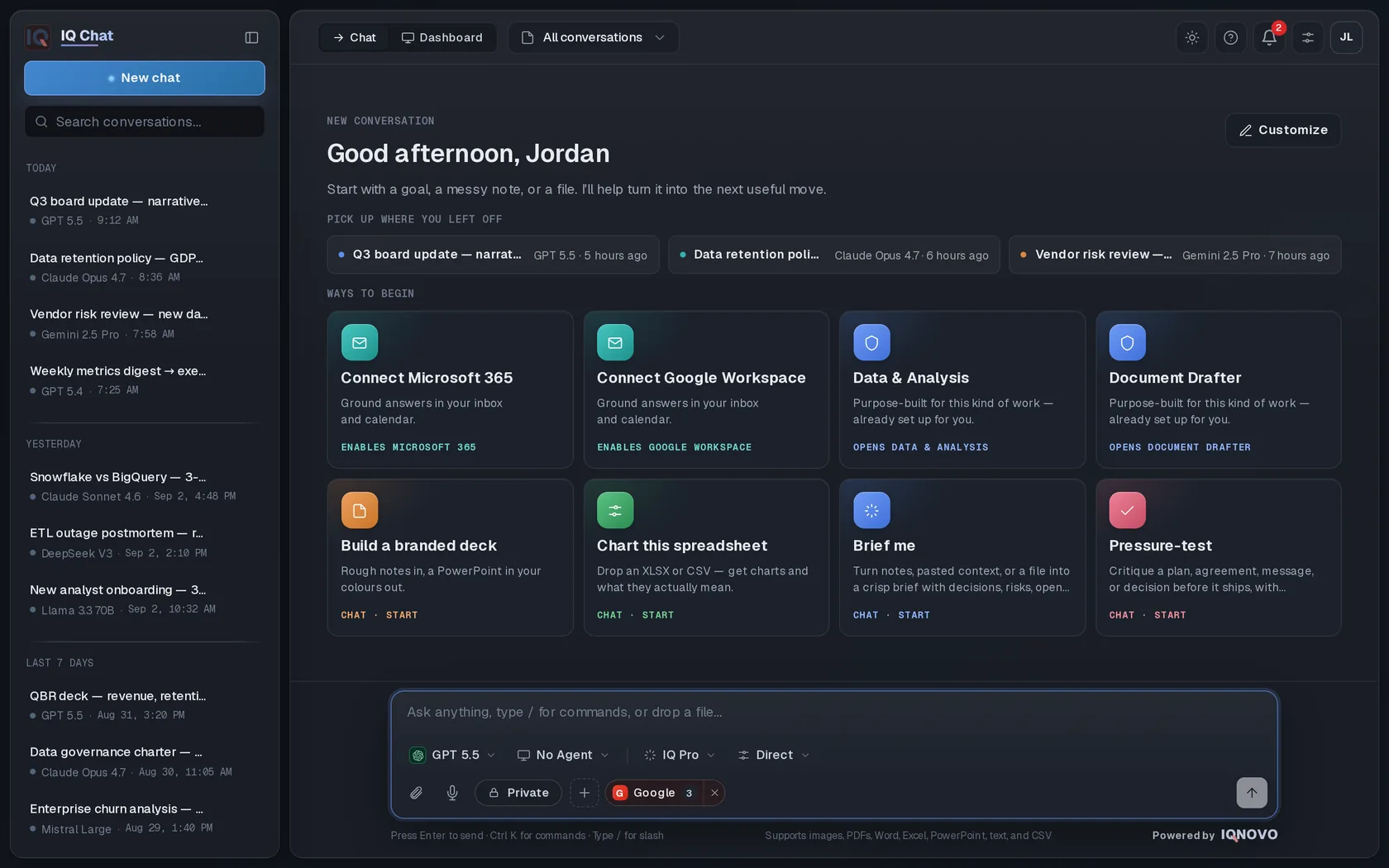
A week of real work in IQ Chat — conversations across Claude, GPT, Gemini, Llama, Mistral, and more, grounded in Microsoft 365 and Google Workspace.A week of real work in IQ Chat — conversations across Claude, GPT, Gemini, Llama, Mistral, and more, grounded in Microsoft 365 and Google Workspace.
Model choice
Supported models in one interface
Connected context
Microsoft 365 and Google Workspace
Finished work
Documents, analysis, sheets, and decks
Enterprise controls
Identity, audit, routing, usage, and cost visibility

Follow the work from model choice to connected context, editable output, and the controls around the workflow.

Supported models

Works with the models your team already trusts

  • OpenAI
  • Anthropic
  • Google
  • Meta
  • Mistral
  • DeepSeek
  • xAI
  • Perplexity
  • Cohere
  • OpenRouter

Switch models per conversation — and reach hundreds more through OpenRouter.

One workspace, two priorities

Give teams room to work. Give IT a system it can manage.

IQ Chat brings model access, company context, editable deliverables, and enterprise administration into one workspace — so teams can keep moving while IT establishes consistent controls.

For teams

From question to useful, editable work

Work with supported models, bring in relevant company context, and create documents, spreadsheets, presentations, and analysis in the same workspace.

  • Switch supported models in one interface, guided by workspace defaults and routing
  • Bring in relevant Microsoft 365 or Google Workspace content through per-user connections
  • Reuse agents and starters for recurring work
  • Review, edit, and export finished deliverables
For IT

One layer for identity, visibility, and control

Manage the workspace through centralized identity, per-user connector controls, model operations, audit logs, and usage and cost visibility.

  • Connect identity with SSO and SCIM; enforce 2FA
  • Configure workspace defaults, routing policies, and per-model failover
  • Keep Microsoft 365 and Google Workspace connectors off until each user enables them
  • Review hash-chained audit logs and usage and cost by model, user, and feature

Teams get a practical path to finished work. IT gets an operating layer it can support.

Recurring workflows

Turn repeat work into finished work

Across functions and markets, teams return to the same knowledge-work patterns. IQ Chat brings current research, connected work context, and editable output into one workspace.

Turn research into a recommendation

Bring together current sources and connected internal material, surface the trade-offs, and make the next step clear.

Example output An executive brief with cited findings, options, and a recommended next step.

Move from request to response

Use account context, prior correspondence, and requirements to prepare proposals, RFPs, and high-stakes meetings.

Example output A response draft with a requirements matrix, open questions, and follow-up actions.

Reuse what the organization already knows

Find the methods, project lessons, and playbooks that apply, then shape them for the work at hand.

Example output A project-start brief with the recommended approach and a reusable checklist.

Turn operations into clear guidance

Convert policy, process, and meeting material into updates, procedures, and training content.

Example output A policy update with owner actions and a companion training outline.

Review work against a consistent standard

Apply a reusable checklist to source material, surface gaps, and document what needs attention.

Example output A review memo with checklist results, exceptions, and recommended actions.

Enterprise confidence

Built for governed enterprise deployment

Evaluate IQ Chat against the controls your team will operate: identity and provisioning, connector access, model operations, auditability, and usage visibility.

Identity and provisioning
SSO through Google, Microsoft, or Auth0; SCIM provisioning; and 2FA.
Connector access
Per-user Microsoft 365 and Google Workspace connections to mail, files, and calendar. Connectors remain off until that user enables them.
Audit and visibility
Hash-chained audit logs with usage and cost analytics by model, user, and feature.
Model operations
Workspace-level defaults, routing policies, and a backup model per model that takes over before any output is shown.
Tenant isolation
Each workspace runs in its own application database. Provider keys, connector tokens, and credentials are encrypted before storage.

See these controls in a walkthrough tailored to your workflows.

Under the hood

What is actually in the box.

The facts a technical evaluation will check, stated plainly. Every line describes the shipped platform, not a roadmap.

Model providers
Anthropic, OpenAI, and Perplexity integrated natively, plus OpenRouter for Google, Meta, Mistral, DeepSeek, xAI, Cohere, and hundreds more.
Model routing
Admin-controlled catalog, ordering, and workspace default, with one backup model per model that takes over before any output is shown.
Company context
Microsoft 365 (mail, calendar, Teams chat, tasks, files) and Google Workspace (Gmail, Calendar, Drive), each authorized per user and off until that user connects it.
Research
Web search with citations through Perplexity, Google, or Brave, routed in only when a question needs current sources.
Files
PDF, Word, Excel, PowerPoint, text, CSV, and images up to 50 MB per file, parsed into the conversation.
Deliverables
Word, Excel, PowerPoint, PDF, and image files generated in isolated, network-less sandboxes. Exports to DOCX, XLSX, PDF, Markdown, and JSON.
Identity
SSO with Google, Microsoft, or Auth0. SCIM 2.0 user provisioning and deactivation. TOTP two-factor authentication with backup codes.
Tenancy
One application database per workspace. Provider keys, connector tokens, and credentials are encrypted before storage.
Audit
Hash-chained admin audit log: every event stores the hash of the one before it.
Cost visibility
Usage and calculated cost by model, user, agent, and feature, from the model prices your administrators set.
Retention
Optional retention windows from 30 days to 10 years, set per workspace, with durable deletion of stored files.
Extensibility
MCP tool catalog with per-connection tool policies, reusable agents, and custom apps built inside the workspace.

Capabilities are enabled per workspace. Certifications, retention terms, and provider contracts are confirmed for each deployment.
Deployment

Your tenant, or your own stack.

Start on the shared platform in a day, or take the whole system for one organization. Either way it runs under your name.

Multi-tenant SaaS

A workspace on the IQNOVO platform, on your subdomain or your own domain, with its own application database. Provisioned the same day and seeded with sample content, so the first session is not an empty screen.

Dedicated deployment

The full stack deployed for one organization and scoped per engagement, for compliance teams that will not sign off on shared infrastructure.

For partners

White label, all the way down.

Your name, your logo, your domain, your legal pages. Agencies, MSPs, and consultancies run branded client workspaces from one master console and keep the client relationship.

Talk about a partnership
Questions before a pilot

Where IQ Chat fits — and where it does not

We already have Microsoft Copilot or ChatGPT Enterprise. Where does IQ Chat fit?

Both can be strong choices when one ecosystem covers the work. IQ Chat fits when teams still need other models or a common operating layer across them. It brings model access, Microsoft 365 and Google Workspace context, finished deliverables, and shared controls into one workspace; it does not have to replace every existing tool.

Why not standardize on one AI provider?

A single provider can simplify procurement and governance, and it may be the right choice when one ecosystem meets the organization's needs. It becomes limiting when teams need different models or those needs change. IQ Chat standardizes the workspace — identity, connector access, audit, usage, routing, and workflows — while preserving model choice.

Will multiple models confuse users?

Too much unstructured choice can create friction. Workspace defaults and routing policies, plus reusable agents and starters, give teams guided paths for recurring work. Users can switch models when needed without learning a separate workspace for every provider.

Could our engineering team build a multi-model wrapper?

A capable engineering team can build a model picker quickly. The longer-term work is operating it: identity and provisioning, connector permissions, audit logs, routing and failover, usage visibility, editable artifacts, support, and ongoing provider changes. The real comparison is not the first interface; it is the platform your team must keep maintaining.

Do we have to replace our specialized AI tools?

No. Specialized tools can be the best choice when proprietary content or a deep domain workflow is the core requirement. IQ Chat addresses broader research, analysis, knowledge work, documents, and repeatable workflows across models and company context. Keep specialist tools where depth matters; use IQ Chat where general-purpose work would otherwise fragment across provider workspaces.

How is our data protected across models and connectors?

Each workspace runs in its own application database, and provider keys, connector tokens, and credentials are encrypted before storage. Access runs through SSO, SCIM, and 2FA, every admin action lands in a hash-chained audit log, and connectors stay off until a user enables them. Provider handling, retention, deletion, residency, and contractual requirements should be reviewed for the intended configuration before rollout.

Can IQ Chat run under our own brand?

Yes. IQ Chat is white-label and multi-tenant, with your branding, logos, and domain.

Guided pilot

See whether IQ Chat fits the way your teams already work

Bring the AI tools your teams use today and a few recurring workflows worth improving. We'll shape a guided pilot around model access, Microsoft 365 or Google Workspace context, finished deliverables, and the governance controls your organization needs to evaluate. Define the questions first. Then use the evidence to decide whether to expand, revise, or stop.

Guided pilot

Plan your guided pilot

A short summary is enough. A senior team member will follow up within one business day to understand fit and recommend the next practical step.

What to expect

  • A walkthrough grounded in your current tools and selected workflow
  • A review of model access, company context, deliverables, and governance needs
  • A practical recommendation on pilot fit and next steps